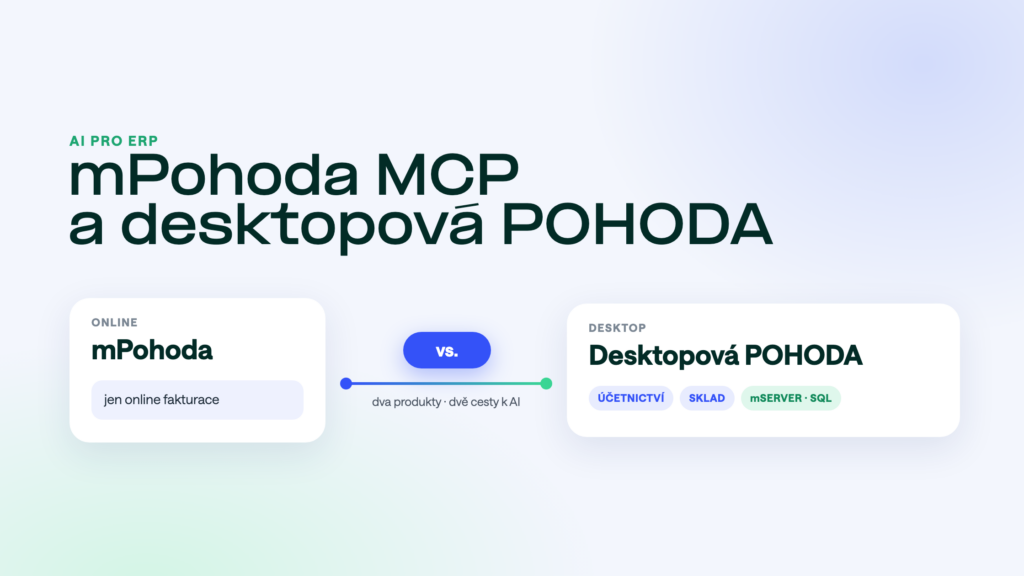
Since October 2026, mPohoda has had a connection to AI assistants via MCP. Companies ask us whether that means AI can now work with their POHODA too. In most cases it can’t. Here is why, and what to do about it.
The short answer
mPohoda MCP works only in mPohoda, the online invoicing app. Desktop POHODA, where companies keep their accounts, stock and orders, doesn’t have it. You connect AI to desktop POHODA through POHODA MCP: via mServer, or straight from the SQL database.
Two different POHODAs
- mPohodaAn online app in the browser and on mobile. Small businesses and sole traders use it mainly for invoicing and keeping track of documents.
- Desktop POHODAA program at the company or on a server. Accounting, stock, orders, several users. Used by companies and accounting firms alike.
The two products keep their data separately. MCP for mPohoda can’t see what is in desktop POHODA.
What mPohoda MCP covers
The AI assistant works with the data in mPohoda: documents, the address book, invoice status. One connection applies to one company, so if you run several, you set up each one separately. It can’t reach the accounts, stock and orders in desktop POHODA.
How to connect AI to desktop POHODA
POHODA MCP connects Claude or ChatGPT to your POHODA in one of two ways. We pick the one that fits your setup:
- Via mServerPOHODA’s official interface. Works with every edition and suits setups where mServer is already running.
- Straight from the SQL databaseFor the SQL and E1 editions. No mServer and no licence reserved for it, fast even for large reports.
Either way, the AI sees only the modules you allow, one connection handles several companies, and documents are written only after you confirm. All the options are compared in How to connect AI to POHODA.
Side-by-side comparison
| mPohoda MCP | POHODA MCP | |
|---|---|---|
| For | mPohoda (online invoicing) | desktop POHODA, all editions |
| Connection | API key in mPohoda | mServer, or straight to the SQL database |
| Several companies | a separate connection for each company | one connection for several companies |
| Data | what is in mPohoda | accounts, stock, orders, address book |
| Permissions | follow the user with the API key | per module and per user |
| Writing | after confirmation | after confirmation, in the Read + write tier |
Frequently asked questions
How do I tell which POHODA I have?
You open mPohoda in a browser or the mobile app. Desktop POHODA runs as a Windows program. Whether you have the SQL, E1 or basic edition is shown by your licence. If you’re not sure, ask your IT or your POHODA reseller.
I have the basic POHODA edition. Will it work?
Yes. We connect the basic edition via mServer. With SQL and E1 we can also read straight from the database.
Is it safe to let AI into the accounts?
Yes, as long as the AI sees only what you allow and writes nothing without your confirmation. What to ask your vendor is covered in AI security over company data.
Keeping your books in desktop POHODA? See what POHODA MCP can do and try it free for 14 days on your own data.
Was this article helpful?
Thanks for the feedback!