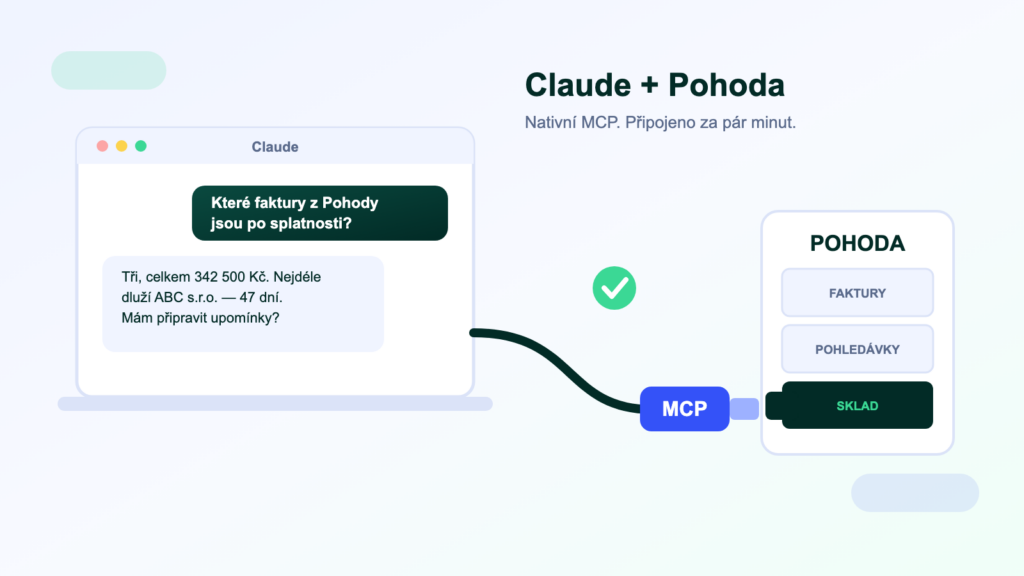
If your company already uses Claude — for writing, analysis or coding — it is a shame that it cannot see into your accounts. Yet of all AI assistants, Claude has the shortest path to company data: the MCP protocol it uses to connect to POHODA was created by its own makers. In this guide we cover what you need, how to get connected in a few minutes and what to check on the security side.
Why Claude specifically?
Claude supports MCP natively and has done so longer than any other AI assistant — the standard was created by Anthropic, the maker of Claude. Just give it the address of an MCP server running over POHODA in its settings and you can ask questions about your data in plain language. No programming, no exports.
Anthropic introduced MCP (Model Context Protocol) at the end of 2024 as an open standard for connecting AI to business systems; today it is supported by ChatGPT and Microsoft too. For Claude, though, MCP is home turf: you set the connector up in both the web and desktop apps, and a connection added once works across all your conversations. What an MCP server actually does is covered in a separate article.
What you will need
- A Claude accountCustom connectors can be added on every plan, though Free is limited to one. For companies we recommend Team or Enterprise for central management of both connectors and data.
- POHODA with data accessDirect data reading requires the SQL or E1 edition (they run on SQL Server). With the basic edition, the route goes through mServer.
- An MCP server for POHODAThe middleman between Claude and your data — hosted, such as POHODA MCP, or your own open-source one.
- A few minutesThe connection itself is one entry in the settings and one sign-in.
Connecting in three steps
- Open the connector settings in the Claude web or desktop app (Customize → Connectors), click + and choose Add custom connector.
- Paste the MCP server address (e.g.
https://mcp.symmy.ai/pohoda) and sign in — it uses OAuth, so no POHODA passwords and no shared keys. - Ask in plain language. On first use, Claude asks you to approve each tool; from then on it answers with figures straight from your POHODA.
What to do with Claude over POHODA
- Receivables“Which invoices are overdue and by how many days?” “Draft a payment reminder for our three biggest debtors.”
- Reports and briefings“Compare this year’s and last year’s revenue by month.” “Prepare the figures for last month’s VAT return.”
- Stock“What is below minimum stock level?” “Which items haven’t sold even once in six months?”
- Sales“Summarise the history of company ABC before tomorrow’s meeting — orders, payments, open quotes.”
The power is in the combination: Claude doesn’t just pull the data out, it works with it on the spot — drafting a reminder, building a table, flagging an anomaly.
Claude vs. ChatGPT over an ERP
Both speak MCP — you don’t have to choose
One MCP server serves both assistants; the only differences are where you set the connector up and the plan terms. Claude’s MCP support is the longest-standing and the deepest; ChatGPT added connectors later. If your company runs on ChatGPT, we have the same guide for it — and feel free to connect both to the same server.
Security: four questions before you go live
The same rules apply as for any AI connection to company data. Insist on a read-only default mode, the ability to restrict the agendas the assistant can see (never payroll), an audit log of every query, and a clear answer to the question of where the data is processed — the MCP server should run in the EU and not store your data. On business plans, Anthropic does not use conversation content to train its models.
Frequently asked questions
Do I need a paid Claude plan?
For everyday use, yes. Free allows one custom connector, but no more. For individuals, Pro is enough; for companies we recommend Team or Enterprise, where an administrator sets the connector up once for the whole team.
Does the connection work in the mobile app too?
The connector is tied to your account — you add it in the web or desktop app and can then query your data anywhere you are signed in.
Will Anthropic see my accounts?
Claude only receives the data the MCP server returns for a specific query — never the whole database. On business plans, conversation content is not used to train models. The MCP server itself should run in the EU and not store data; ask your provider about that.
Can I connect an ERP other than POHODA the same way?
Yes — the procedure is identical, only the server address changes. We offer MCP servers for Money S4/S5, Helios iNuvio, KARAT, ABRA and other systems.
Was this article helpful?
Thanks for the feedback!