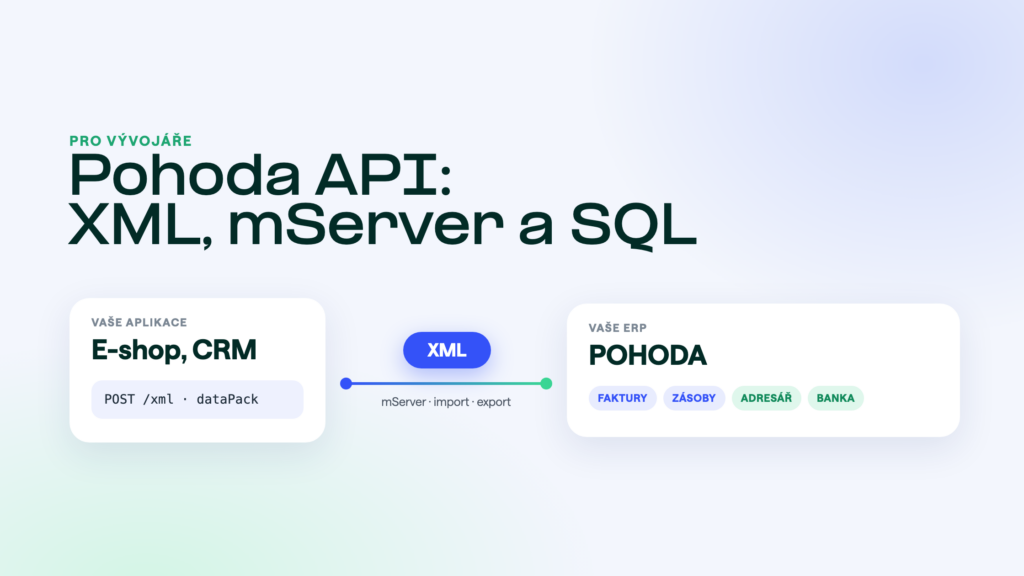
When people say “POHODA API”, they usually mean its XML interface. The vendor, STORMWARE, calls it an API itself, and it is how orders from online stores, documents from tills and data from other applications get into POHODA. If you only need to read data, the POHODA SQL and E1 editions offer a second route: straight from the database. This overview explains how both routes work, when to use which and what to watch out for.
The short answer
POHODA offers three routes to its data: XML files, mServer and reading directly from the database. XML files are processed in batches, for example from the command line. mServer is an HTTP server built into POHODA that accepts the same XML over the network. The POHODA SQL and E1 editions run on Microsoft SQL Server, so their data can also be read directly. Writing into POHODA always belongs in the XML interface, never in the database.
Three routes to the data
- XML import and exportYou prepare an XML file that follows the schema and POHODA processes it. You can run this manually in the program or automatically from the command line. It suits batch jobs such as transferring documents overnight.
- POHODA mServerThe same XML, sent over HTTP or HTTPS. Your application sends a request and gets an answer straight away. Most online-store connectors are built on it.
- Direct SQL readsOnly on the POHODA SQL and E1 editions. You read data through a dedicated read-only account, with no queue and no load on the program. Ideal for reports and overviews, not for writing.
What XML communication looks like
Every XML file for POHODA has the same envelope. The root element dataPack contains individual dataPackItem entries, each holding one document to import or one export request. A single dataPack can mix imports and exports. The structure is defined by XSD schemas: POHODA has a separate schema for each module, and the current version is 2.x. You can download the full schema package with descriptions from the Stormware website. Developer documentation, covering the structure, supported data and, for exports, filtering and paging, is on the vendor’s api.stormware.cz portal.
Every request gets a response. For each document it tells you whether it went through and, if not, the error number, a description and the XPath to the element that caused it. POHODA can also guard against duplicates: with the check switched on, the same document is not imported twice, based on the identifiers in the envelope.
The user you process XML under needs permissions in POHODA. Imports require write access to the relevant module, exports at least read access. Missing permissions are one of the most common reasons an import “does nothing”.
Which modules XML covers
The list is long. You can import, among others, invoices, orders, quotations, enquiries, receipts, issue slips, transfers, sales receipts, cash documents, bank documents, contracts and production. From the lists: addresses, stock items, warehouses, number series, bank accounts and online-store categories. Exports also cover, for example, account balances, the accounting journal, cost centres, selling prices and the list of accounting units. Stormware keeps the exact, up-to-date overview in its list of documents for import and for export, including sample files.
mServer in brief
mServer is part of the POHODA program. It listens on a chosen port and accepts XML via POST with the text/xml content type. It authenticates with an STW-Authorization header carrying a POHODA user’s credentials and works over both HTTP and HTTPS. It processes requests one at a time in the order they arrive, so large batches are best spread out. A simple request to /status tells you whether it is running.
Each mServer configuration belongs to one accounting unit, meaning one company in one financial year. A running mServer also reserves a whole instance of the program, and the vendor recommends running it on a server operating system inside the internal network. Operation, costs and practical tips are covered in detail in our article POHODA mServer.
Reading directly from the database
The POHODA SQL and E1 editions store their data in Microsoft SQL Server. For reading, you therefore need neither mServer nor XML. A dedicated read-only database account and a secure route to the server are enough. The reads bypass the program and the answer comes back immediately. The basic POHODA edition uses a file-based database, so this route is not available there.
This is exactly how our POHODA MCP works: the AI assistant reads data straight from the SQL database and needs neither mServer nor paid add-ons. Write actions in the higher plan then go through the XML interface, just like any other integration.
Don’t write to the database
Writing directly to the tables bypasses the program’s logic: number series, VAT calculation, links between documents and locks. The result tends to be documents that look fine in POHODA but don’t add up in the accounts. Always write through the XML interface.
What to watch out for
- A new financial year is a new accounting unit. At the start of the year, the mServer and XML import configuration has to be switched to the new unit, otherwise the integration keeps working with the old year.
- POHODA updates. After an update, the accounting unit sometimes has to be converted to the new version. Until that happens, XML processing fails with an error. So after every update, check that communication is running again.
- Backups and database maintenance. A running mServer holds a connection to the database and blocks some operations, such as backups. The vendor advises against leaving it running non-stop or running it as a Windows service. Start and stop are scheduled with the task scheduler.
- The request queue. mServer processes requests one after another. When an online store sends hundreds of orders at once, they wait in line. Keep that in mind when designing the sync.
- Schema versions. Stormware keeps extending the schemas. Validate your XML against the current package and follow the planned compatibility changes.
Build it yourself or not?
For a one-off import or a simple script, the XML interface is enough and the documentation is decent. Once you need reliable two-way sync, error monitoring and retries, the work grows quickly. Options for online stores are compared in our article Connecting POHODA to an e-shop, and automation tools are covered in Make, Zapier, n8n and POHODA. What each edition offers for connecting other systems is on the POHODA Komplet detail page.
Frequently asked questions
Does POHODA have a REST API?
Not in the usual sense. The vendor considers the XML interface to be the API. Through mServer you call it over HTTP, but the data is always XML following POHODA’s schemas, not JSON.
Do I need mServer?
For ongoing communication from another application, yes. For batch processing, XML import from the command line is enough. And for reading on the SQL and E1 editions you need neither, since data can be read straight from the database.
Is mServer included in the lower POHODA variants?
According to the vendor, mServer is part of all variants of the POHODA program. Some features do differ by edition, though. The E1 edition, for example, can trigger XML communication automatically from within the program.
Where can I find the XSD schemas and examples?
On the Stormware website, in the XML section. It offers the complete 2.x schema package for download, a description of each schema and sample requests and responses for the individual modules.
Can I write directly to the SQL database?
Technically yes, but we don’t recommend it. You bypass the program’s logic and risk documents that don’t add up. Writes belong in the XML interface.
Was this article helpful?
Thanks for the feedback!