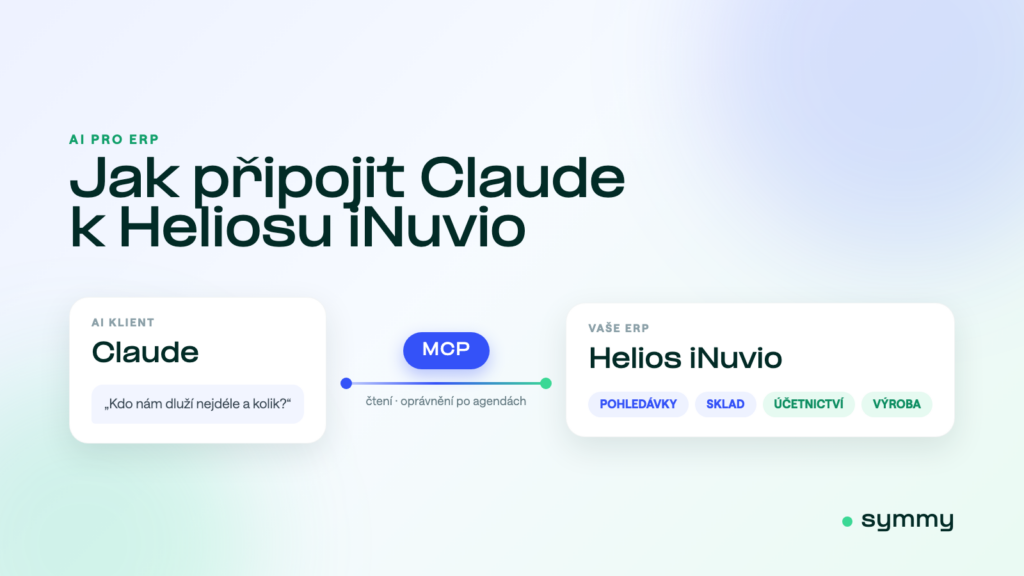
Helios iNuvio can answer almost anything — the answer is just buried in a report that someone has to find, configure and run. A typical management question (“who owes us the longest?”, “what is our margin on this job?”) therefore ends up with the one person who knows Helios well. Since Claude and ChatGPT gained support for custom connectors, there is a second route: ask in plain language and let the number be pulled straight from your ERP. This article covers what you need and where the limits are.
Short answer
You need three things: a paid Claude account, access to your Helios data (by default read straight from the database) and an MCP server in between. The connection itself is one entry in the settings and one sign-in. The slow part is the boring one — arranging secure access to the data, which is a job for your IT team and takes days, not months. Read-only is the safe default; writing is enabled separately and every action is confirmed by a person.
Why Claude
The MCP (Model Context Protocol) standard comes from Anthropic, the maker of Claude — which is why connectors have been working here longest and most reliably. It is not exclusive, though: the same server also works from ChatGPT, and Microsoft is adding support too. The practical difference lies elsewhere: custom connectors are part of the paid plans (Claude Pro or Team), and for a company Team makes sense, because connectors and access are managed centrally rather than person by person.
What you will need
- A paid Claude accountCustom connectors are part of the paid plans; we recommend Claude Pro or Team, and ChatGPT Plus or Team.
- Helios with access to the dataBy default we read the database directly (Helios iNuvio runs on SQL Server, so a dedicated read-only account is enough) — you need neither the paid eServer module nor the REST API for that. If you do have the REST API available, we can connect through it as well. Either way you need a secure route in: IP whitelisting, or a connection through your VPN. Nothing gets installed on your side.
- An MCP server for HeliosThe middle layer that turns an AI question into a safe, audited query against the ERP — hosted, such as Helios iNuvio MCP, or your own.
- Your IT team on boardBecause this touches a production database, bring IT in from the start rather than at the first question.
Connecting in three steps
- Open Settings → Connectors. In the Claude web or desktop app, choose to add a custom connector.
- Paste the MCP server address (ours is
https://mcp.symmy.ai/helios) and sign in. It uses OAuth, so no Helios password or shared keys ever go into Claude. - Ask your question. On first use Claude asks permission for each tool; after that it answers with figures from your Helios.
What Claude can do over Helios
It pays off fastest wherever people currently wait for someone else. Accounting asks for the VAT return figures for a period, or for purchase invoices due this week. Sales pulls a customer’s history and payment record before a meeting without having to ask anyone. The warehouse checks availability, reservations and items below minimum. Management asks about turnover by cost centre, partner balances and a cash-flow outlook based on due dates. The higher tier adds write actions — a draft invoice, a new order or contact — but always so that you confirm the result before it is saved, and they go through the vendor’s official interface rather than writing to the database.
Where it will not help
AI over an ERP is not a replacement for integration. If orders from your e-shop need to land in Helios reliably every few minutes, including at three in the morning, that is a job for a classic system-to-system connection, not for a conversation. MCP connects people to data; integration connects systems to each other. Most companies end up using both, for different purposes.
Helios Orange, iNuvio, Green and Nephrite: what it will actually run on
Before you get into AI, be clear about which Helios you actually have — Asseco has renamed the range several times and quotes still get it confused. Helios Orange was renamed Helios iNuvio, and Helios Green became Helios Nephrite; these are two separate product lines for companies of different sizes, not versions of one. For connecting AI, what matters is where the data sits and who is allowed in: both lines run on SQL Server, so the standard route is reading with a dedicated account that has read-only rights — the paid eServer module is not needed for that. If you have the Helios REST API available, we can connect through it instead and never touch the database. Writing always goes through the vendor’s official interface; check the availability and price of eServer with your supplier, as the price list is not public. What each generation can do when connecting other systems is covered on the system page.
Claude or ChatGPT?
You do not have to choose. MCP is an open standard and the same server serves both — in ChatGPT you add a connector under Settings → Connectors, in Claude under Settings → Connectors; the difference is practically just the button label. If your company already pays for one, start there. The procedure for POHODA, identical in the details, is described in How to connect Claude to POHODA.
Security: four questions before you go live
- Is read-only the default? It should be. Writing is a separate decision, not a side effect of switching a connector on.
- Can permissions be set per area? A sales rep should not have the same data scope as the head accountant — and payroll usually should not be reachable at all.
- Where does the data go, and is it used for training? Ask about the processing region and about a written exclusion of training on your data.
- Is there an audit log? It must be possible to trace who asked what and which data left the system.
The full checklist is covered in Security of AI over company data; how we handle it is described on our security model page.
Frequently asked questions
Will it slow Helios down for everyone else?
Queries are optimised for reading and run at low priority — a typical question is a fraction of the load of an ordinary report. Limits are set during deployment.
Do we need the eServer module?
Not for reading — a dedicated read-only account on the database is enough, and neither the paid eServer module nor the REST API is required. If you do have the REST API available, we can use it too. Write actions (issuing an invoice, creating an order) always go through the vendor’s official interface; check eServer availability and pricing with your Helios supplier, as the price list is not public.
Will the AI see every piece of data in the ERP?
No. The scope is set per area and only what you allow applies — typically receivables, orders, stock and accounting summaries. Sensitive areas, payroll above all, are usually not exposed at all.
What does it cost?
Your AI subscription (Claude, ChatGPT) stays yours and you pay for it directly. On top of that comes access to your data — from €99 per month excl. VAT per company for the read tier, €199 with writing, plus a one-off implementation from €800 covering secure access, area configuration and training. Details are on the Helios iNuvio MCP page.
Does it work with Helios Nephrite (formerly Green)?
Yes, the principle is the same — both lines run on SQL Server. The data model and the range of areas differ, so they are mapped differently during deployment; we go through the exact scope on the introductory call.
Was this article helpful?
Thanks for the feedback!