OMEGA by KROS is the most widely used double-entry accounting software in Slovakia — and at the same time a system into which many e-shops still retype their orders by hand. The invoice gets issued twice, the stock prices in the e-shop don’t match the accounts, and product availability is more of a guess. This article sums up what can be transferred between an e-shop and OMEGA automatically, which connection routes exist and what to watch out for.
The short answer
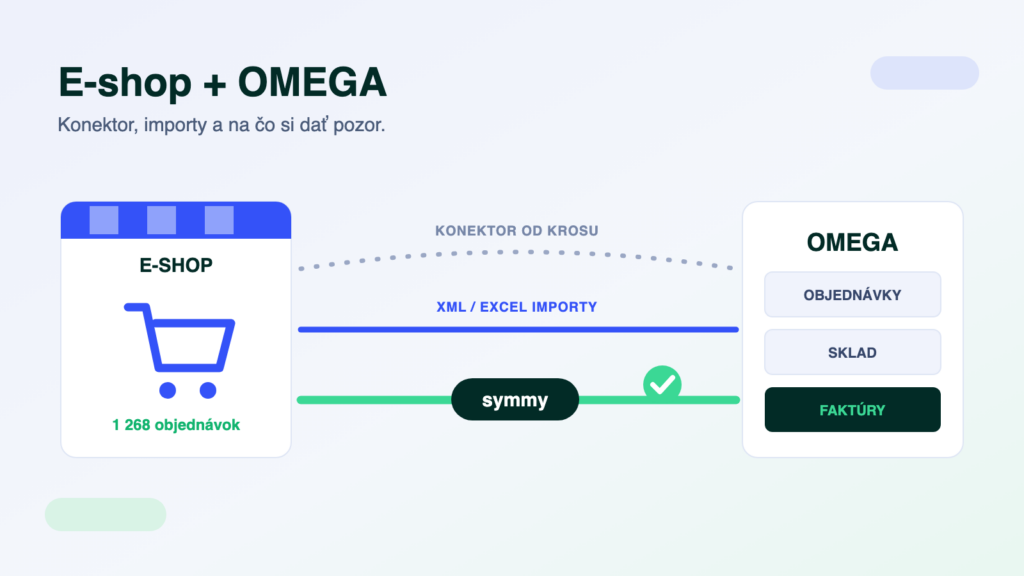
OMEGA can be connected to an e-shop — the question is how. The options are the Konektor, an API service straight from KROS (purchasable only with a valid KROS support package (Balík podpory)), batch XML/Excel imports (free, but manual work) and an integration platform (built to fit the agendas you choose, monitored, two-way). For a small e-shop with a few orders a day, imports are enough; as the number of orders or agendas grows, automation pays off.
What flows between the e-shop and OMEGA
- Received ordersAn order from the e-shop is created in OMEGA as a document — line items, customer and payment method included. No retyping, which is the most common source of errors.
- Stock cards and pricesCards with selling prices flow from OMEGA into the e-shop. The accounts set the price — so the e-shop no longer sells at stale prices.
- Product availabilityStock levels from OMEGA are continuously reflected in the e-shop, so a customer can’t order goods that are already gone.
- Invoices and customersIssued invoices and new customers come together in OMEGA — the address book doesn’t fill up with duplicates, matching is done by company ID (IČO).
Three connection routes
- The Konektor from KROS. The official API service through which OMEGA opens up to e-shops and other applications. It sends out stock cards with fixed selling prices and receives documents. The condition: it can only be purchased with a valid KROS support package (Balík podpory) — whether you have one is the first thing to verify.
- Batch XML and Excel imports. OMEGA can import documents and cards from files. Free and dependency-free, but it is not synchronisation — somebody has to run the exports regularly, and the day they get forgotten shows up in the warehouse and in invoicing alike.
- An integration platform. A connection built to fit the agendas you choose — two-way, with monitoring and validation of every transfer. A basic connection of one agenda comes to 6–12 hours of work depending on type, then it runs by itself. You’ll find the pairs in our integration catalogue — for example Shoptet + KROS OMEGA.
OMEGA specifics to plan for
OMEGA is built for Slovak legislation — VAT, statutory reports and document requirements. For Slovak companies that is an advantage; for Czech entities it is not a fit. The Konektor is tied to the KROS support package (Balík podpory): without valid support the API service cannot be purchased, which the budget has to account for from the start. And a third thing: selling prices are governed by OMEGA. The Konektor sends out cards with fixed prices — the e-shop is meant to display them, not overwrite them.
The most common case: Shoptet + OMEGA
Slovak e-shops most often run on Shoptet — which makes the pair Shoptet + KROS OMEGA the connection we build with OMEGA most often: orders from Shoptet into OMEGA, cards, prices and availability the other way. The same principle applies to WooCommerce, Upgates, PrestaShop and Shopify — the e-shop side changes, the OMEGA side stays. There is an overview of the system on the KROS OMEGA page.
One trap: who sets the prices
The most common source of drifting data with OMEGA. The Konektor sends stock cards with fixed selling prices into the e-shop — if marketing overwrites prices directly in the e-shop, the next synchronisation either overwrites them back, or the data drifts apart and nobody knows which price applies. The fix is simple, but it has to be followed: OMEGA is the source of truth for prices; promotions and discounts are handled there, and the e-shop displays them. This rule is the first thing we set up on every integration.
Frequently asked questions
What do I need from KROS for the connection to work?
For a connection through the Konektor, a valid KROS support package (Balík podpory) and the purchased Konektor service. Whether you have them, and in what scope, is something we verify during the initial analysis — so the budget accounts for it from the start, not when the invoice arrives.
Does the connection work without the Konektor?
In batches, yes — OMEGA can do XML and Excel imports, so you can synchronise via files. But it is not continuous synchronisation: it suits small volumes or serves as a supplement, not as the main route for a growing e-shop.
How much does connecting an e-shop to OMEGA cost?
The price follows the number of agendas — a basic connection of one agenda comes to 6–12 hours of work depending on type, with the exact scope pinned down after an initial meeting. On top of that, add the KROS support package (Balík podpory) and the Konektor on the KROS side, if you don’t have them yet.
I invoice in SuperFaktúra — does this concern me?
If invoices are created in SuperFaktúra and the books are kept in OMEGA, the same question arises: where a document originates and where it gets transferred. We can connect both sides — the important thing is to decide up front whose number series applies, so no duplicates arise.
We are a Czech company — is OMEGA a fit for us too?
OMEGA is built for Slovak legislation and is not a fit for Czech entities. If you sell into Slovakia through a Slovak entity running OMEGA, we build the connection with Slovak VAT rates and document requirements in mind.
Was this article helpful?
Thanks for the feedback!