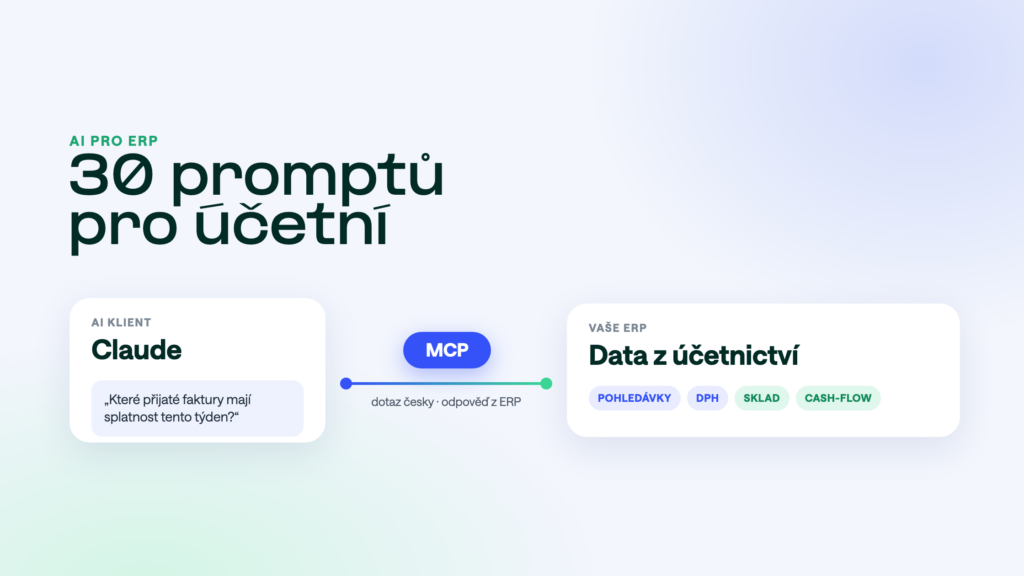
Once your AI assistant is connected to your ERP, the biggest obstacle is often the empty chat box: you don’t know what to ask. So we put together thirty questions that accountants, directors and sales reps use most. Copy them and change the period or the company name. Each one comes with a note on what it returns.
The short answer
Specific questions with a period, a company and a clear output work best, for example “Which purchase invoices are due this week? Sort them by amount.” The AI finds the data directly in your ERP, so you don’t have to export anything. Always treat the numbers as a working draft, though, and check them before you send or post anything.
The questions work in Claude and ChatGPT once the AI is connected to your ERP through an MCP server. We describe the setup for POHODA, Helios iNuvio and ABRA Flexi.
Receivables and reminders
- “Which customers have overdue invoices above €2,000?”A list of debtors with the amount and days overdue. A good start to every Monday.
- “Who are our riskiest debtors?”Companies that keep paying late or carry a high open balance.
- “How has Alfa Ltd. paid over the past year? Show the average delay.”One customer’s payment behaviour, when you are deciding on payment terms or a deposit.
- “Draft a payment reminder for our three biggest debtors.”Claude writes a polite text with invoice numbers and amounts. Sending it is up to you.
- “Which invoices issued in September are still unpaid?”A quick check of what is still open from last month.
Payables and payments
- “Which purchase invoices are due this week?”The basis for your payment run, sorted by due date.
- “How much will we pay suppliers in total over the next 14 days?”Payables summed by due date, for cash planning.
- “Do we have any overdue purchase invoices?”What is urgent, before it costs you goodwill with suppliers.
- “Does our balance with Beta Ltd. match? List the open items.”Open invoices and credit notes with one partner, for example before a balance confirmation.
- “Which suppliers have we bought the most from this year?”Suppliers ranked by spend, useful before price negotiations.
VAT and month-end
- “Prepare the VAT return figures for September.”Sales and purchase documents summarised by rate, to compare with the report in your ERP.
- “List purchase invoices from September with VAT above €400.”Documents you want to check one by one before filing.
- “Are there documents from September without the customer’s VAT number?”A quick error check before filing.
- “Which September documents haven’t been posted yet?”What is still missing before month-end close.
- “Find the €1,940 invoice from Gamma Ltd. from the summer.”Finding a document by amount, company or text when you don’t know the number.
Stock
- “Which items are below minimum stock?”A reorder list without going through stock cards.
- “Do we have at least 50 units of item XYZ in stock?”A quick answer for sales, including reservations if your ERP tracks them.
- “Which items haven’t sold once in the past six months?”Slow movers that tie up cash.
- “What is the value of stock by item group?”An overview for management or a stock count.
- “How many units of item XYZ are reserved, and for whom?”Reservations by order, when a customer is waiting for delivery.
Sales and customers
- “What has Alfa Ltd. ordered this year, and when did they last order?”Customer history before a call or meeting.
- “Give me a summary of customer Gamma before the meeting.”Revenue, open orders, payment behaviour and recent documents in one place.
- “Which customers have bought less this year than last year?”A list of companies worth a call.
- “Which orders have been waiting more than a week to be fulfilled?”Stuck orders, before the customer complains.
- “Who were our biggest customers over the past year?”Customers ranked by revenue with their share of total sales.
Cash flow and management
- “What does the cash-flow outlook for the next 30 days look like?”Expected income and spending by due date.
- “Compare revenue for this and last half-year by month.”Revenue trend in a table you can forward straight away.
- “What are income and costs by cost centre for Q3?”Results per cost centre without building a report by hand.
- “Which cost items have grown the most this year?”A quick look at where money is leaking.
- “Summarise September in five bullet points for the director.”A short overview of revenue, receivables and cash that fits into an email.
How to write a good question
- Give a period. “For September”, “for Q3” or “year to date”. Without a period the AI has to guess.
- Say which company. If your ERP holds several companies, say which one to search.
- Add a threshold or filter. “Above €2,000”, “domestic only”, “cost centre London only”. The answer gets shorter and more precise.
- Say what you want back. “Sort by amount”, “put it in a table”, “summarise in five points”. The AI then prepares the result in a form you can work with.
What the AI won’t do for you
The AI reads the data in your ERP. If a document is missing or posted incorrectly, the AI can’t tell, and the answer will be as inaccurate as the data. Always compare figures for tax returns, month-end or reminders with the report in your ERP. The AI is not a replacement for accounting or tax advice either: it prepares the material, the decision is yours.
Security
By default the AI only reads data and writes nothing to your ERP. Access is set per module, so a sales rep doesn’t see what the chief accountant sees, and payroll is usually not exposed at all. What to check before letting AI near your data is covered in AI security over company data.
Frequently asked questions
Does it work with our ERP?
We have MCP servers for POHODA, Money S4/S5, Helios iNuvio, KARAT, ABRA Gen, ABRA Flexi and Odoo. The full list is on the MCP servers for ERP page. Module names differ between systems, but the questions work the same way.
Do I need to code or write formulas?
No. You ask in plain language, the same way you would ask a colleague. Copy the questions from this article and change the period or company name.
How far can I rely on the numbers?
The numbers come straight from your ERP, they are not estimates. They are as reliable as the data in your ERP. For important outputs such as a VAT return, compare them with the report in your system.
Will the AI see payroll?
Only if you explicitly allow the payroll module. Payroll and other sensitive areas are usually not exposed at all.
Want to try it on your own data? Have a look at MCP servers for ERP and book a short demo.
Was this article helpful?
Thanks for the feedback!